
What Is Geode?
Geode is a mod loader for Geometry Dash, built by the Geode Team as a free, open-source community project. On Android it arrives as a small launcher app: you install the Geode APK, the launcher sets the framework up inside your copy of Geometry Dash, and the game gains a mod system it never shipped with. Inside the game you will find a built-in mod browser, where the community's creations can be discovered, installed, updated and removed without touching a file manager.
One honest point first, because it shapes everything else on this page: Geode is not the game, and it does not include the game. It needs the full Geometry Dash installed on your phone, and it loads its framework into that game when you press Launch. What the Geode APK gives you is the door; the catalog behind it, from quality-of-life tweaks to full multiplayer mods, is the community's work, shared freely and updated constantly. The Geode APK is the doorway to all of it.
Geode Features
Every feature below is in the current launcher and framework, verified on our own test phones.
- A mod catalog inside the game: browse the community's mods from a built-in in-game list and install them seamlessly, without leaving Geometry Dash or hunting files.
- Mod management built in: enable, disable, update and remove mods from inside the game, with your library kept tidy by the loader itself.
- A launcher that maintains itself: the Android launcher installs the framework, keeps it updated alongside new Geometry Dash versions, and can check for updates automatically.
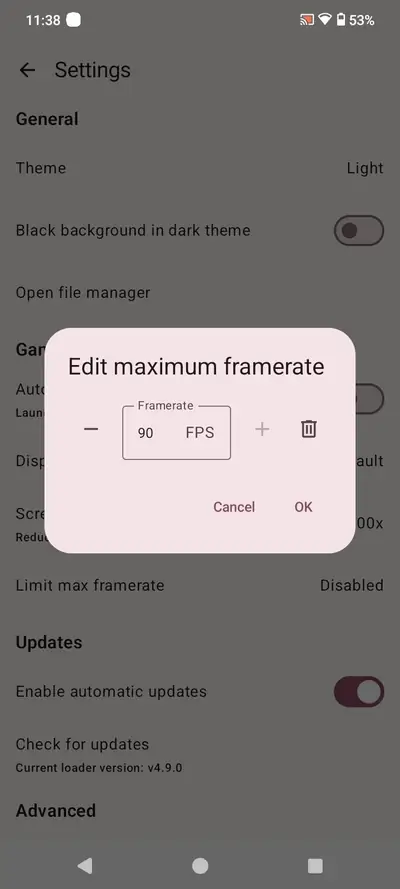
- Performance controls: launcher settings include a maximum framerate cap, display mode and screen zoom, so the game window behaves the way your phone prefers.
- Open source to the core: the framework is a community project with shared tools for modders, a hooking syntax and ready-made UI components, which is why the catalog keeps growing.
- Cross-platform family: Geode also runs on Windows, macOS and iOS; this Geode APK is the Android launcher, the piece your phone needs.
- Featherweight: the launcher is just 5.5 MB and asks for Android 6.0 or newer.
Plenty of mod tools feel like a science project. Geode's trick is that the complicated part happens once, in the launcher, and everything after that happens inside the game, where it belongs. That is the whole design of the Geode APK: complexity up front, invisible afterwards.
Geode Screenshots
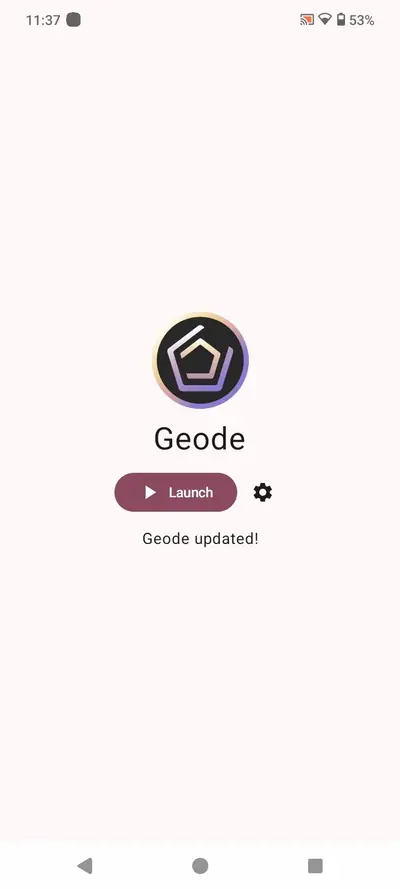
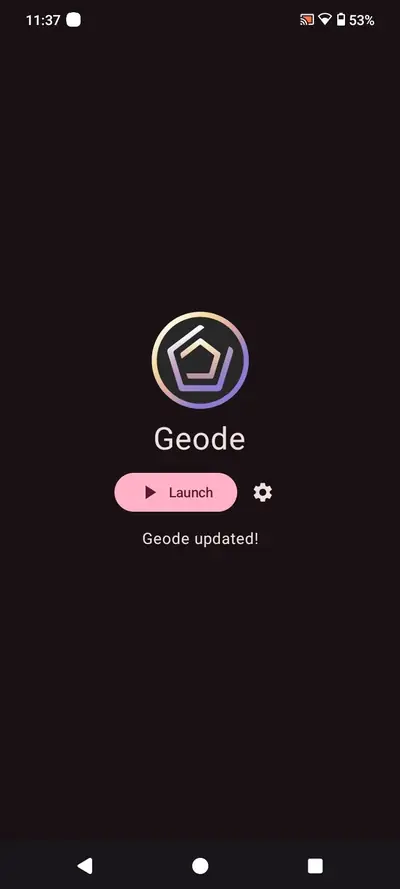
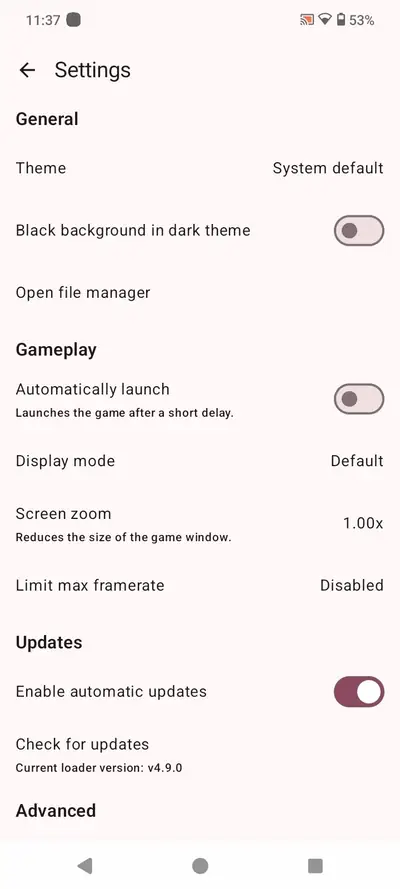
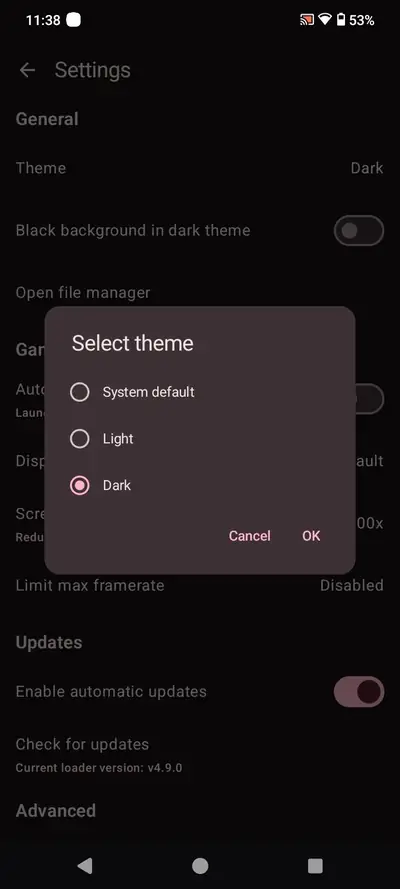
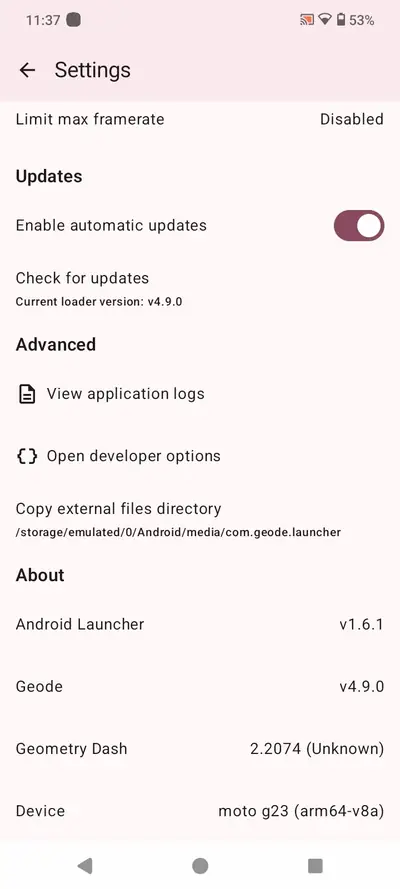
Every frame below is a real screenshot of the Geode launcher app itself: the home screen in its light and dark themes, the settings pages with the framerate cap and theme picker, and the advanced panel with the version readout. The mods live inside the game; this is the tool that puts them there.
What's New in the Launcher
The launcher's job is staying invisible, and its recent work is all in service of that: keeping the framework current as Geometry Dash itself updates, so a game update never strands your mod library. Automatic update checks live in the launcher's settings, and the "Geode updated!" confirmation on the home screen is the whole ceremony when it works.
The settings have grown the controls players actually asked for: a maximum framerate cap for phones that run hot, a screen zoom that shrinks the game window, display mode choices, and light, dark and system themes for the launcher itself. None of it changes your game saves or your mods; it is the frame around the picture, quietly getting better at framing, and it is why keeping the Geode APK current is the only maintenance habit that matters.
How to Install Geode on Android
The install has one extra beat compared with a normal app, because Geode loads into another app. Follow the order and it takes about three minutes.
- Have Geometry Dash installed: Geode needs the full game on your phone. If it is not there yet, install the game first; the launcher has nothing to load into without it.
- Download the Geode APK: tap the download button on this page and save the file. It is 5.5 MB, so it lands in seconds.
- Allow the install: open the file and, when Android asks, allow installs from your browser, then tap Install.
- Open the launcher and launch: open Geode, let it set the framework up, and tap Launch. Geometry Dash opens with the loader inside it.
- Browse mods in the game: inside Geometry Dash you will find the Geode mod menu. Open the catalog, pick your first mod, and install it from there.
If the game opens without the mod menu, the launcher's setup did not finish; reopen the Geode APK, let it complete, and launch again. Our install guide in the blog walks every screen with the fixes for the rare snags.
How Mods Work in Geode
Once the framework is loaded, mods behave like the game's own features. The catalog lives inside Geometry Dash: open it, browse by popularity or search by name, read what a mod does, and install it in place. The loader downloads it, wires it in, and lists it among your installed mods, where you can toggle it off, update it or remove it entirely.
The catalog covers most of what players imagine: quality-of-life tools that surface information the base game hides, visual and texture changes, practice and creator helpers, interface improvements, and headline mods that add whole systems, including community multiplayer. Because the framework is shared, mods are built on the same tools, which keeps them more consistent and less fragile than the one-off hacks of older modding eras.
Two habits keep the experience clean: install mods from the built-in catalog rather than loose files, and let the launcher keep the framework updated, since mods expect a current loader underneath them.
Using Geode Day to Day
After setup, your routine barely changes: you open the Geode launcher instead of the game icon, tap Launch, and play. The launcher can even launch the game automatically after a short delay if you enable it in settings, which makes the extra step disappear almost entirely.
Most players settle into a small, personal library: a handful of quality-of-life mods that are always on, one or two visual changes that make the game feel theirs, and a rotating guest slot for whatever the community is excited about this month. The loader makes that library portable across game updates in a way manual modding never was, and the settings, a framerate cap here, a screen zoom there, quietly adapt the game to the phone in your hand.
That is the real product here: not any single mod, but the feeling that Geometry Dash on your phone is finished, furnished, and yours. It is a remarkable amount of change for one small Geode APK to deliver.
Safety and Verification
We treat the Geode APK like every file on this site: the package identity (com.geode.launcher) and the 5.5 MB size are checked against the genuine build, permissions are audited, and the launcher is installed and used on our five test handsets before the download button goes up. The file here is exactly the build this review describes.
Geode itself has an unusually strong safety story for a mod tool: it is open source, so its code is public and inspectable, and it is maintained by a named community team rather than an anonymous uploader. Mods are still code written by individuals, though, so keep the sensible habits: install from the built-in catalog, read what a mod does before enabling it, and keep the framework updated. Within those habits, this is as trustworthy as game modding gets.
Technical Details
The Geode APK is the Android launcher for the framework: a 5.5 MB app on Android 6.0 and up that installs and maintains the loader inside Geometry Dash. It is deliberately small because the heavy machinery, the framework and the mods, lives with the game, not the launcher.
One numbering quirk confuses new users, so let us settle it: the launcher and the framework it installs are versioned separately, and the launcher's About screen lists both, alongside your Geometry Dash version. The launcher's own version is the one that matters when you update from this page, and it is the version shown in the APK details table above. If a mod ever asks about your loader, it means the framework line in that same About screen.
Under the hood, the framework gives modders a shared hooking system and UI components, which is the unglamorous reason Geode mods tend to survive game updates better than standalone hacks: they are built on maintained foundations instead of scraped-together patches.
Old Versions
Older launcher builds exist, and almost nobody should use them. The framework moves with Geometry Dash, and an outdated launcher paired with a current game is the single most common cause of mods failing to appear. The Geode APK on this page is the current launcher, and it updates the framework it manages as part of its job.
If you are troubleshooting and someone advises an old build, treat it as a last resort for a specific, known conflict, and come back to the current launcher once the conflict passes. Modding history is full of players stranded on ancient setups; the update path exists so you never join them, and the current Geode APK is where that path starts.
Geode Alternatives
The honest alternative is vanilla: Geometry Dash exactly as it ships, which millions play happily. Everything Geode adds is optional garnish on a complete game, and uninstalling the launcher returns you to stock at any time.
On other platforms, Geode itself is the same answer: the framework runs on Windows, macOS and iOS as well as Android, with the same catalog philosophy, so a player moving between phone and PC keeps one modding home. Older Android modding methods, manual file patching and standalone hacked clients, belong to an earlier era; they break on updates, scatter your library, and ask for far more trust than an open-source loader does. For Android players today, the Geode APK is simply the maintained way in, and the Geode APK asks for nothing but the game you already own.
Troubleshooting
The mod menu is missing in game. The framework did not load. Reopen the launcher, let setup finish, and use its Launch button rather than the game icon; still missing, update both the game and the launcher.
A mod will not install or crashes the game. Disable it from your installed list and check for a mod update; mods expect a current framework, and a single outdated mod is the usual culprit, not the loader.
The game updated and mods broke. This is the known rhythm of modding: give the framework a short window to catch up, keep the launcher's automatic updates on, and your library returns.
The launcher says the game is missing. Geode needs the full Geometry Dash installed under the same user profile; a cloned or work-profile copy will not be found.
Our common problems guide in the blog keeps the longer list, in fix order, and the download page always carries the current Geode APK if a fresh install is ever the answer.
How to Update Geode
Updating is the launcher's home turf. Leave automatic updates enabled in its settings and the framework keeps itself current alongside the game; the home screen confirms with a simple "Geode updated!" when it has done its work.
For the launcher app itself, download the current Geode APK from this page and install it over your existing copy, never uninstalling first. Your mods, settings and library are kept, because they live with the game and the framework, not inside the installer. A thirty-second job, twice a year at most, and the catalog stays exactly where you left it.